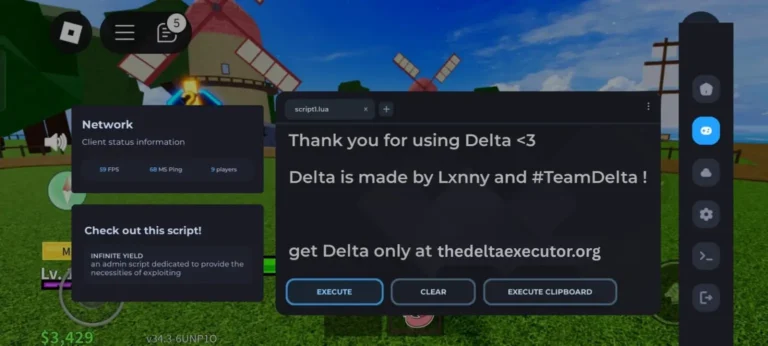
Bypassing the Delta Key using Linkvertise is possible when the process breaks due to loading or verification errors, and that is the main reason people search for help. You may be stuck in a loop where the page refreshes, ads never finish, or the key screen sends you back again. That moment feels like pulling a door handle that spins but never opens.
This section is written for you if you want a straight answer without noise. It explains why this problem happens, who this method is meant for, and what you will gain by following the steps ahead. By the end, you will know how to move forward without risky tricks or wasted time.
What the Delta Key Is and Why Linkvertise Is Used
The Delta Key controls access to the executor, and Linkvertise supports that control. The key must be checked before use, while Linkvertise confirms activity and loads ads to filter bots. Each step serves a clear purpose in issuing the key.
How the Delta Key Works
The Delta Key controls access to the executor and is generated only after you complete checks on external pages, which verify actions like page loads and wait time. If any step fails, the key won’t appear. To understand the system in detail, see Why Delta Executor Needs a Key and How It Works.
Why Linkvertise Is Part of the Process
Linkvertise is used for verification and ads. The system sends users through Linkvertise pages before the key screen appears. These pages show ads and simple tasks that must finish fully. Redirects track progress and confirm that pages were opened in order. If a task fails or a page reloads too fast, the key process resets. That is why users often see loops or delays during key generation.
Why Users Try to Bypass Delta Key Using Linkvertise
Users try to bypass the Delta Key using Linkvertise because the process often stops working. Most people follow the steps correctly, but the page does not finish. When the same screen keeps coming back, users look for a fix. The goal is not to skip rules. The goal is to make the key page work the way it should.
Common Problems With Linkvertise Pages
When the Delta Key Fails to Generate
Step-by-Step Method to Bypass Delta Key Using Linkvertise
Follow these Linkvertise steps carefully, and your Delta Key will generate without any issues.
- Step 1: Open Delta Executor and sign in to your Roblox account.
- Step 2: Select any Roblox game and press Play.
- Step 3: When the Delta screen appears, tap Receive Key.
- Step 4: A key link copies to your clipboard. Open a browser and paste the link in the address bar.
- Step 5: Complete the Cloudflare human check and wait five seconds.
- Step 6: Press Continue to move to the Linkvertise page.
- Step 7: Follow the buttons shown, such as Get Website, I’m Interested, and Learn More.
- Step 8: Open one ad, tap Visit Website, then close all extra tabs.
- Step 9: Return to the main Linkvertise tab and choose I have already completed this step.
- Step 10: Wait a few seconds and press Continue.
- Step 11: Copy the generated Delta key.
- Step 12: Reopen Delta Executor. The key fills in automatically.
What to Avoid When Trying to Bypass Delta Key
Unsafe shortcuts often create more trouble than they fix. Many users lose access or harm their devices by trusting quick fixes online. These options may look simple, but they usually lead to new problems. Staying away from risky paths helps protect both your account and your device.
Fake Tools and Script Files
Fake tools and script files are unsafe and unreliable. They claim to create keys fast but never deliver real results. Some change device settings or slow performance without warning. Others cause errors or stop the executor from working. Using them can also lead to account issues that are hard to reverse.
Sites Asking for Login Details
Sites that ask for login details do not provide real keys. They collect usernames, passwords, or session data for misuse. After entering details, users are often sent away or stuck loading. These sites are not part of the real key process. A valid key method never asks for private account information.
Best Tips to Get the Delta Key Without Issues
Most problems with the Delta Key can be avoided by setting things up the right way before starting. Small checks done early save time later. When the page loads fully and each step finishes, the key usually appears without trouble.
Settings That Help Linkvertise Load Properly
- Allow popups in your browser before opening the link.
- Keep JavaScript turned on, as timers and buttons rely on it.
- Check site permissions and allow redirects for the page.
- Pause any ad blockers or extensions that might interfere.
- Make sure the page can load fully from start to finish.
Timing and Retry Tips
Wait until each page finishes loading before clicking anything. Rushing through steps can break the check. If the page sends you back, do not retry right away. Close the browser, wait a few minutes, then try again. Repeating failed attempts too quickly can lock the process into a loop. Slow and steady works better here.
Conclusion
Bypassing the Delta Key using Linkvertise works when each verification step is completed correctly. Most issues happen because pages do not load fully, popups are blocked, or redirects fail. Following the proper steps ensures the key generates smoothly without risking your account or device.
Avoid fake tools, scripts, and sites that ask for login details, as these create more problems than they solve. Check browser settings, allow popups and JavaScript, and be patient with the process. By preparing carefully and following the method step by step, you can get the Delta Key safely and continue using Delta Executor without interruptions.
Frequently Asked Questions (FAQs)
Is it safe to bypass the Delta Key?
Yes, following the proper Linkvertise steps is safe. Avoid fake tools, scripts, or sites asking for login details, as these can harm your account or device.
Can I use multiple attempts quickly?
No. Repeated attempts too fast can lock the process. Wait a few minutes between retries and make sure each step finishes.
Can I use the key on mobile and desktop?
Yes. The same method works for both mobile and desktop devices as long as the verification steps are completed properly.
Why does Linkvertise appear during key generation?
Linkvertise confirms human activity and loads ads to prevent bots from generating keys. It tracks progress and ensures verification is complete.
How long does it take for the Delta Key to generate?
Typically, a few seconds after completing all Linkvertise steps correctly. Delays usually happen due to blocked popups, slow internet, or incomplete verification.